
Last Updated on 21st November 2025 by peppe8o
The biggest question for Raspberry PI computer board users comes when choosing the Operating System to use. There are many OSes available for all models, each one fitting the best specific needs. This article lists the main alternative Raspberry PI OS
Usually, all operating systems can be installed easily by getting their image file (.img or zipped) and flashing it on a microSD card with free programs like Balena Etcher or Raspberry PI OS Imager. Some distributions (like Raspberry PI OS, Raspbian and Ubuntu) allow to setup wi-fi and SSH connections from SD card flashing, it being useful in headless installations (without a monitor or keyboard).
A typical Raspberry PI kit usually includes an SD card with NOOBS (New Out Of the Box Software) pre-installed. This isn’t an operating system. Noobs is a software executed only once in your very first boot, which provides an easy way for beginners to install an OS from a list of the most common ones. Once you selected the OS you want to use, Noobs downloads it from the internet and installs it. This isn’t my suggested OS installation procedure, since I experienced some problems trying to migrating to bigger sd card.
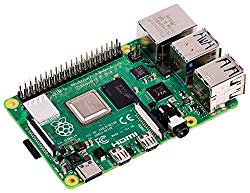
In this article, I’ll list a number of Raspberry PI OS you can try, with their installation guide, depending on your needs. Instead, if you want to compare RPI models, you can refer to Comparing main features of the latest Raspberry PI models.
If you are looking for ideas on how to use your Raspberry PI, you can also refer Best Raspberry PI projects with open source software article.
OS for Small Personal Computer Usage
Raspberry PI, with monitor (connected via HDMI), keyboard and mouse, can be used as a complete and powerful desktop computer. The best OS, working out-of-the-box, for this purpose is Raspberry PI OS with Desktop. It is the common choice for people who need GUI for their operations.
Like all other Linux distros, you can also use a smaller version and install your favourite desktop environments by using package managers (apt for RPI OS). Raspberry PI OS is the default choice for all Raspberry Pi users, because maintained by the Raspberry PI company. Its Desktop environment is Pixel.
- Raspberry PI OS Desktop – the default and official os for desktop choice. This is also the best distro for beginners. Can be found in its base installation, including only the Pixel Desktop Environment, or “with recommended software”, also including some useful packages like LibreOffice. Both cases use the same procedure, changing only the image file to download and use.
- Raspbian Buster Desktop – it has been for years the default RPI Desktop OS distribution. In 2019, the Raspberry PI Foundation spun off its own OS and Raspbian OS remained as a separate community-driven operating system. Older system images are still available from Raspberry PI Foundation repositories, but newer ones need to be built from source code, making this job harder.
Below is a list of other common Desktop environments that I still haven’t tested, but which can be good opportunities. What you need to check is using their distro images compatible with ARM processors (many of these have already dedicated Raspberry PI images).
- Ubuntu Mate
- Ubuntu Xfce
- Fedora
- Puppy Linux
- Manjaro
- Gentoo
- SARPI project (Slackware ARM on a Raspberry Pi)
- Risc OS
- Arch Linux for ARM
OS for Small Server Usage

Raspberry PI can also be a fantastic micro Linux server able to support tons of lightweight Linux projects. It can run web servers, print servers, proxy servers and so on (browse peppe8o.com pages for tutorials). Many big distros are starting to support Raspberry PI and have recently released their RPI images. The best choice, however, remains Raspberry PI OS in its Lite version (without a desktop environment).
- Raspberry PI OS Lite – this is the most widely known for headless usage. Based on Debian, Raspberry PI OS Lite is a really fast OS (with only a terminal interface) strongly supported by forums.
- Raspbian Buster Lite – as for Desktop on, this is the community-driven Raspbian version. Raspbian Lite is also as fast and widely known, and supported in forums. Similar to the desktop distribution, older system images are still available from Raspberry PI Foundation repositories, but the latest version needs to be built from source code.
- DietPi – DietPi is a very fast alternative OS for your Raspberry PI. Even if its support on forums is less spread compared to Raspbian, it is a good alternative because it has a very simple Software adding procedure
- Ubuntu server (64-bit) – Ubuntu is the most famous Linux distribution for servers. It has a wide support all over the world. Its Raspberry image is really recent.
- Rocky Linux – Rocky Linux is another widely known Linux distro for servers. It can be considered the younger brother of Red Hat Linux.
OS With Out-of-the-Box Working Services
The web community has developed several services which work out of the box, from flashing a pre-configured image. What you have to do with these images is usually reduced to configure your wifi network (if you don’t use an Ethernet connection), setup preferences and use it.
- OSMC (open source media centre) – a Kodi implementation
- OpenElec – another Kodi implementation
- NEMS Linux – a distribution focused on network and services monitoring, based on the widely known open source Nagios
- Retropie – a retro-gaming console implementation
Below are some OSs in this category, which I still haven’t tested directly:
- Libreelec – another Kodi-based media centre distribution
- Lakka – similarly to RetroPie, another Linux distro to realise your retro games console
OS for Makers
Makers need a fast OS able to use Raspberry PI GPIOs, so interfacing external devices (like motors, sensors, etc). Also, for this purpose, Peppe8o.com has plenty of tutorials.
- Raspberry PI OS Lite – again, Raspberry PI OS Lite is my favourite. It is fast, assures better performance compared to the Desktop version, and it is strongly supported by a wide community. Moreover, many projects for external devices interfacing need only a remote control, so a desktop environment could be only a useless CPU and RAM weight. It can be used to manage 3d printers, create and execute Python scripts, interface sensors, as a web server and many other common and uncommon Linux functions.
- Raspberry PI OS Desktop – Raspberry PI OS Desktop better fit for beginners, approaching for the first time the Raspberry PI world and programming activities. It can be used with graphical user interfaces, which simplify life for new programmers. It can also include common computer software (an open source office suite and browser).
Once your Operating System choice is gone, it’s time to move on List of Raspberry PI Projects!
Open source and Raspberry PI lover, writes tutorials for beginners since 2019. He's an ICT expert, with a strong experience in supporting medium to big companies and public administrations to manage their ICT infrastructures. He's supporting the Italian public administration in digital transformation projects.




The post comparing PiOs Lite to PiOs Desktop led here, but does not answer the same question. My interest is comparing PiOs Lite compared to Ubuntu server, but more specifically than 99% of your audience I am interested in performance running ROS 2, which I first ran on the Pi5 in Docker because Ubuntu for the Pi5 was not available. Later I rebuilt my Pi5 robot on Ubuntu, primarily to minimize update maintenance and simplify sensor configuration, but I did not take the time to assess performance for both configurations.
Yesterday a fellow announced he had built ROS 2 native on PiOS Trixie Desktop. While I was disappointed with the ROS 2 visualization running on my Pi5 robots, the Raspberry Pi 5 seems to be able to just barely handle what I ask of it with ROS 2 over Ubuntu server. (Stating NAV2 sometimes crashed due to 140% load, but not always.)
My robots have been powered by Raspberry Pi for 8 years, and every year a new OS, or new Pi, or new ROS configuration or change of all three. Up until recently, none of my robots ever saw more than 80% load, but I feel that with ROS or LLMs (with a MCP manager) my Pi 5 may have finally hit the performance/power wall. (My oldest Pi3 robot gets 8 hours playtime on a charge, while my newest Pi5 robot only gets 1-2 hours on a battery twice the capacity. I always want my bots to be fully autonomous so performance/ power is the decider.)